radio.net - AM FM Radio Tuner
- 4.6
- Rating
- 10.00M
- Installs
- Free
- Price

 Analysis by App-foxy
I spent time with radio.net - AM FM Radio Tuner as an everyday music and audio app, paying particular attention to how comfortably it works for people with different abilities, routines, and listening environments. It is a free app from radio.net - Webradio, News & Podcasts, aimed at bringing live radio stations, local news, music, and podcasts into one place. The basic idea is familiar, but the useful question is whether that mix remains easy to understand when you are not sitting quietly with perfect attention and a fast connection.
My overall impression is positive, with an important qualification: this is strongest as a broad radio discovery and listening tool, not as a replacement for every specialist music service. I found it most appealing when I wanted to move between local programming, familiar stations, and spoken audio without maintaining several separate apps. The experience also has practical limits around live-stream dependence, the amount of choice on screen, and the fact that different stations can behave differently once playback begins.
Why the first week feels easy
The first few listening sessions are where the app’s broad mix makes its clearest case. I can use it for a quick station search when I already know what I want, then return later to browse for a different mood or a local voice. That variety makes the early experience feel less like setting up a library and more like turning on a radio that happens to have many doors. I would start with one or two familiar stations rather than trying to explore everything at once.
You May Also Like

 Blood Strike: 2.5 Anniversary
Blood Strike’s Loadouts Turn Every Drop Into a Tactical Gamble
A close look at Blood Strike’s custom loadouts: how fast access to signature weapons reshapes its battle royale rhythm, rewards preparation, and narrows the gap between fights.

 Pandora - Music & Podcasts
Pandora’s Music Is Easy to Start, but Harder to Recover
Pandora’s strength is its low-effort path from a seed to a station. Its weak spot is how much confidence it asks you to place in connection, setup, and quiet recovery.

 8 Ball Pool
 Is Built on Rivalries, Rematches, and Routine
A close look at the rivalries, rematches, shared routines, and unanswered safety questions that turn a quick pool match into a persistent mobile community.

 Samsung Music
’s Quiet Strength Is Playing What You Already Own
Its reach comes less from spectacle than from dependable access to a personal library. That simplicity is both the app’s strongest retention engine and its ceiling.

 AccuWeather: Weather Radar
AccuWeather Review: A Quick, Clear Forecast for Everyday Decisions
For everyday plans, the best forecast is the one you can understand quickly. AccuWeather makes rain timing, radar, and local conditions easy to act on, with a few trade-offs.

 Hill Climb Racing
Why Hill Climb Racing Still Turns Crashes Into One More Run
A tiny car, a bumpy hill and one more upgrade: Hill Climb Racing keeps resurfacing because its simple chaos makes every near-miss feel personal.
More From Our News Desk
View All News


A realistic routine might be to put on a local station while making breakfast, then switch to a podcast for a walk when I want a more focused subject. That change of purpose is the app’s practical advantage over a single broadcaster app: I do not have to leave the same listening environment whenever my mood shifts. The trade-off is that radio remains live and can move in directions I did not choose, so this routine works best when I welcome a little spontaneity.
How clearly the app supports different listeners
I look at accessibility here as more than whether someone can open the app: the useful test is whether different listeners can build a comfortable routine around live radio and podcasts. In the next section, I’ll focus on the practical choices that help reduce effort, screen time, and surprises, while keeping in mind that each station and program can feel different.
Readability and navigation in ordinary use
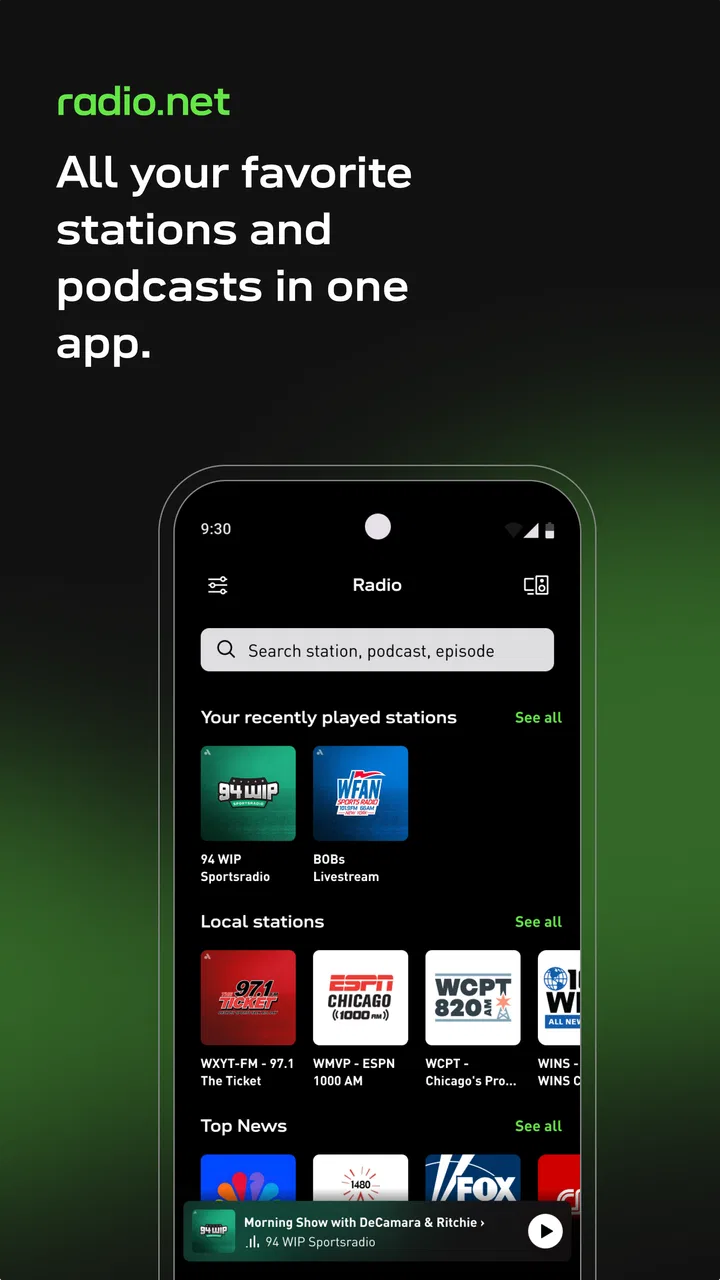
The app’s central purpose is easy to grasp. I can look for a station, browse by the type of content I want, or return to audio I have already chosen. That matters for people who do not want to learn a complicated music library before hearing anything. The combination of live radio and podcasts also gives the app a useful rhythm: live stations suit spontaneous listening, while podcasts are better when I want to choose a topic and listen on my own schedule.
Navigation feels most comfortable when I begin with a clear intention. Searching for a known station is less mentally demanding than exploring every available category, while browsing is better when I am open to discovery. I would advise new users to save a small group of dependable stations rather than trying to remember where every interesting result appeared. That simple habit reduces repeated scrolling and makes the app more manageable for anyone who finds dense choice tiring.
Text size and contrast can also depend on the phone’s own display settings and the way the interface is presented on a particular device. I found it sensible to enlarge system text before deciding whether the app is comfortable, then check whether labels still remain fully visible. People with low vision should not assume that every station image or decorative element carries useful meaning; the practical route is to rely on readable station names and the phone’s accessibility tools where available.
The large audience suggests that the basic concept is approachable. The app has an average rating of 4.6 from around 401 thousand ratings, and it has passed 10 million installs. Those figures do not guarantee that every screen will suit every person, but they do reflect a product that many listeners have been able to pick up and use.
Motor effort, hearing needs, and sensory load
For motor accessibility, the main advantage is that listening does not require constant interaction. Once a station or podcast is playing, I can put the phone down and continue with another task. That is helpful for anyone who finds repeated tapping difficult, experiences fatigue, or simply wants audio to remain in the background. The less comfortable moments are the transitions: opening a result, changing stations, correcting an accidental selection, or returning to the right place after interruption.
I would use the app with larger touch targets and phone-level interaction aids if small controls are difficult to hit. Voice control offered by the operating system may help with opening the app or performing basic device actions, although I would not depend on it for every in-app search. A listener with limited hand movement should test the full routine—finding a station, starting playback, pausing it, and switching away—rather than judging accessibility from the home screen alone.
For hearing differences, the app is naturally more flexible with spoken content than with music. News, interviews, and podcasts may be easier to follow when the speaker is clear and the volume is balanced, while live stations can vary widely in presentation. I found that headphones or a phone’s audio adjustments can make a bigger difference than the app itself. If captions, transcripts, or visual alternatives are essential to your listening routine, this should not be your only source of information, because live radio is fundamentally audio-first and individual programs may not provide equivalent text.
Sensory load is another trade-off. Radio can be calming when I choose one familiar station and let it play, but browsing many logos, genres, and live options can become busy. A useful workflow is to decide whether I want music, local information, or a podcast before opening the full catalogue. That turns the app from an open-ended stream of choices into a short, purposeful route.
Situational access at home, outdoors, and on the move
The app makes the most sense in situations where I want company without actively watching a screen. I used the idea of a weekday morning: start with a local station for current information, switch to music while getting ready, and choose a podcast later when I can give spoken content more attention. That sequence is more convenient than opening separate services, especially for someone who values simple routines over fine control of every track.
It can also suit people who are learning a language, keeping up with local broadcasts, or looking for regional voices rather than only globally popular music. The local-news angle is particularly useful when a person wants a sense of place while traveling or living away from home. However, live radio is less predictable than an on-demand playlist. A program can change subject, pace, or tone without warning, so listeners who are sensitive to sudden audio changes may prefer a carefully selected podcast or downloaded music collection.
In a car or while walking, I would set up the station before moving and avoid treating the phone as something to browse continuously. The app is better as a prepared listening source than as an activity that demands visual attention in traffic or on uneven ground. For commuters, the practical test is whether the preferred station can be reached quickly enough before leaving home. If the routine requires repeated searching every morning, it may become frustrating even if the catalogue is broad.
At home, the free entry point is appealing. The app is listed as free, while in-app purchases range from around three dollars to around twenty-six dollars per item. I would therefore begin with the free experience and only consider a purchase after understanding exactly which part of the listening routine it improves. Someone who only needs occasional radio may never need to spend anything; someone seeking a more polished or uninterrupted experience should examine the purchase screen carefully rather than assuming every useful function is included.
Where the usual alternatives are stronger
Compared with a single-station radio app, this one is more useful when I want variety. A dedicated broadcaster app may provide deeper information about that station, its schedule, or its own programs, while radio.net is more convenient for moving among many sources. Compared with a music streaming service, it offers the immediacy and local character of live radio, but it does not give me the same level of control over individual songs. If I want to replay one album, build a precise playlist, or avoid presenters and advertising, an on-demand music service is usually the better fit.
Podcast-only apps can also be preferable for people who mainly want subscriptions, episode management, and a focused spoken-audio library. Here, podcasts sit alongside live radio, which is convenient but can make the experience feel less specialized. I see that as a deliberate compromise rather than a flaw: the app is strongest for listeners who regularly alternate between live stations and podcasts, not for someone who wants the deepest possible tools in only one format.
The developer, radio.net - Webradio, News & Podcasts, has positioned the product around that combined listening habit. Its release history goes back to September 15, 2011, and the app carries a Teen content rating. I would still judge individual stations and programs for personal suitability, because a general age label cannot describe every piece of live or recorded audio a listener may encounter.
Where recurring value comes from
After the novelty of browsing fades, the app earns its place through repeatable listening habits rather than constant discovery. I would keep a short mental division between stations for background music, local updates, and more deliberate listening. This makes it easier to choose based on the moment instead of reopening the app and starting a long search from scratch. It is a modest organizational habit, but it is the difference between a wide catalogue that feels useful and one that feels like work.
One non-obvious trade-off is that a familiar station can be more valuable than the “best” station found during a long browsing session. A reliable choice reduces decisions on busy mornings, while an unfamiliar stream can be saved for a time when I have attention to spare. I also would not treat a station’s usual tone as a guarantee: live schedules change, and a program that suits one part of the day may not suit another. Keeping a second option ready is a practical way to avoid frustration without needing to curate a large collection.
For someone deciding whether to keep it installed, I would ask a simple question after a few weeks: does it fill a listening gap that another app leaves open? If local radio and occasional podcasts are already part of the day, one place for both can be worth keeping. If I only listen to chosen albums or subscribed podcast episodes, the broader radio selection may remain unused after the initial exploration.
Remaining barriers I noticed
The biggest barrier is not a confusing concept but the uneven nature of live audio. A station can be easy to find yet less comfortable to follow because of its speaking style, sound balance, or changing content. That means accessibility is partly outside the app’s control. I would keep several alternatives saved: one station for calm background listening, one for news, and one podcast for moments when predictable pacing matters.
Another limitation is dependence on the listening environment. Live streams are not ideal when connectivity is unreliable, and the app’s value drops if playback repeatedly stops. I would not choose it as my sole audio plan for a long journey where I cannot count on a stable connection. A downloaded collection or an on-demand service with dependable offline listening is safer for that situation.
Choice can also create a hidden accessibility cost. A large catalogue is helpful only when search results and categories remain understandable. Users with attention difficulties may benefit from a deliberately small personal list, while users with low vision may prefer text-based searching over scanning station artwork. I found that preparing a listening shortlist is more inclusive than expecting every person to explore the entire catalogue in real time.
Finally, people who need synchronized text, transcripts, precise playback control, or highly predictable content should approach this as a supplementary app. It can be a pleasant audio doorway, but it cannot make every broadcast equally accessible. That distinction is important: a broad selection does not automatically mean every program serves every listener equally well.
My inclusive verdict
I recommend radio.net - AM FM Radio Tuner to people who want one free starting point for live stations, local news, music, and podcasts. I especially like it for flexible routines: a familiar station in the background, a local broadcast when information matters, and a podcast when I have time to concentrate. Its straightforward purpose, large range of listening choices, and low entry cost make it worth trying.
I would be more cautious if your needs depend on transcripts, offline reliability, exact song selection, or a completely controlled sensory experience. In those cases, a podcast specialist, music service, broadcaster-specific app, or downloaded audio library may serve you better. The sensible approach is to test one complete routine with your own display settings, headphones, interaction aids, and preferred content rather than relying on the app’s general reputation.
For me, the strongest inclusive feature is the ability to let audio continue after the screen is no longer part of the task. The most important limitation is that the quality and accessibility of the final experience can change from one station or program to another. If you accept that trade-off and keep your favourites organized, this is a useful, approachable addition to an Android or iOS listening setup.
FAQs for radio.net - AM FM Radio Tuner
01What features does radio.net offer to enhance my listening experience?
Radio.net provides a wide array of features designed to enhance your listening experience. You can access over 30,000 global radio stations, podcasts, and on-demand shows. The app offers a user-friendly interface with options to save your favorite stations, explore new genres, and receive personalized recommendations based on your listening habits. Additionally, it supports seamless streaming with high-quality audio.
02Is radio.net free to use, or are there any premium features?
Radio.net is free to download and use, offering access to a vast selection of radio stations and podcasts without cost. However, the app contains ads. For an ad-free experience and additional features like an enhanced sleep timer and unlimited skips, users can opt for a premium subscription, which is available through in-app purchases.
03Can I use radio.net without an internet connection?
Radio.net requires an active internet connection for streaming live radio stations and accessing podcasts. While the app does not support offline listening directly, some podcasts might offer download options for offline playback. Ensure you have a stable Wi-Fi or mobile data connection for the best streaming experience.
04How user-friendly is the radio.net app for first-time users?
Radio.net is designed with user-friendliness in mind, making it accessible even for first-time users. The interface is intuitive, with easy navigation between stations, genres, and podcasts. Users can quickly search for specific stations or explore curated lists. The app's design focuses on simplicity, ensuring that anyone can start listening without a steep learning curve.
05Does radio.net support cross-platform usage?
Yes, radio.net supports cross-platform usage, allowing you to enjoy your favorite stations and podcasts on both Android and iOS devices. Your preferences and saved stations can sync across devices if you create a free account. This feature enhances flexibility, enabling you to switch between devices without losing your personalized settings.
Pros
- Wide range of global radio stations.
- User-friendly interface design.
- Customizable station favorites.
- Offline listening available.
- High-quality audio streaming.
Cons
- Contains frequent ads.
- Limited offline station selection.
- Occasional streaming interruptions.
- No podcast integration.
- Requires login for some features.

radio.net - AM FM Radio Tuner
Gallery